Automated Operations

Saved plans that fly on a schedule

Pick an aircraft and a plan, and say when it should fly: now, at a set time, every day, or when the dock is ready inside a time window. The mission list shows what was planned and what was flown.

Isometric scene of a drone leaving its dock, flying a loop over a tank site and returning
Missions

Three ways to start a mission

A mission is a saved plan plus an aircraft and a start rule. The plan comes from the mission planner.
Unattended flights from a dock→
  • ImmediateThe aircraft takes the plan and flies it as soon as you confirm.
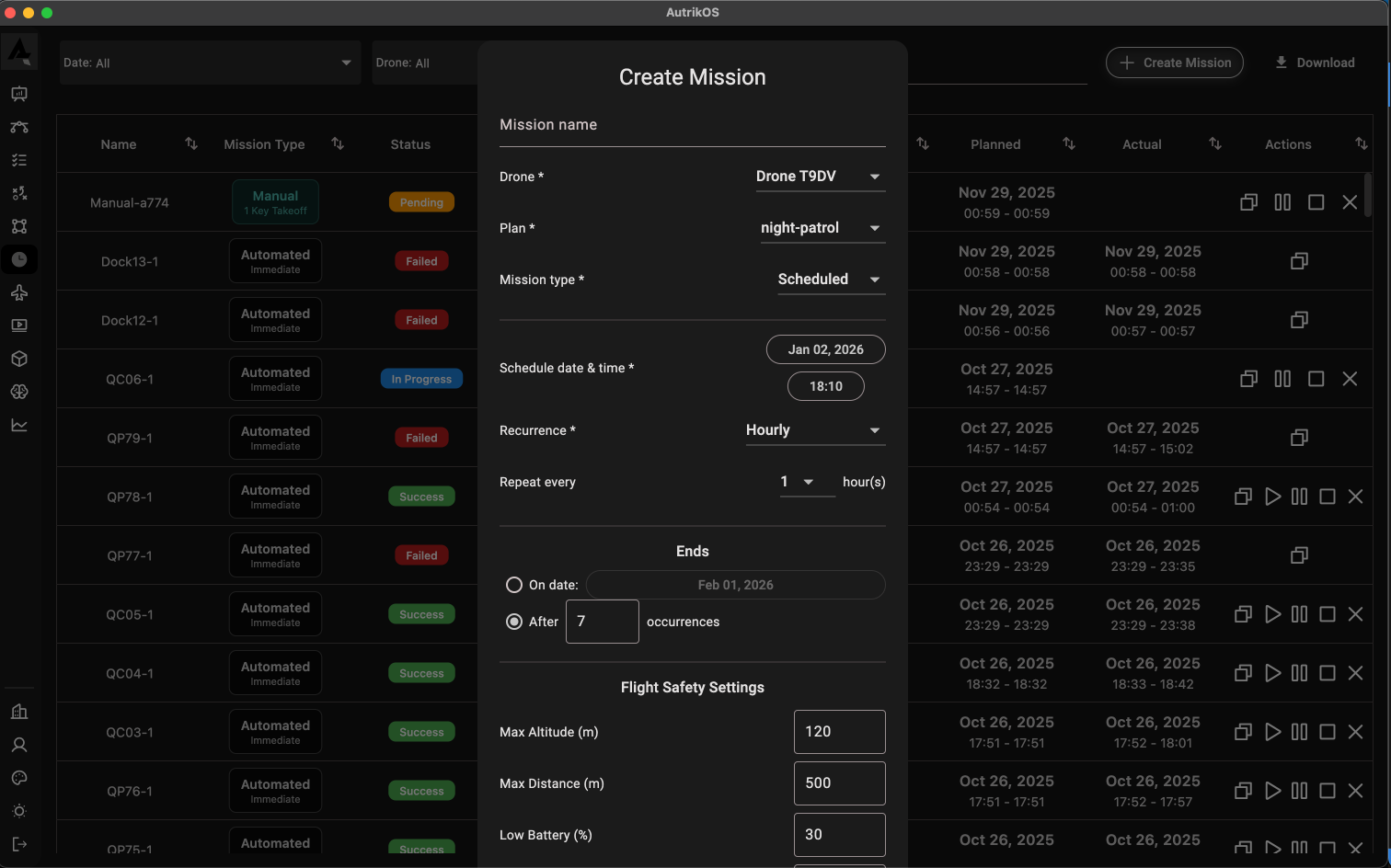
  • ScheduledSet a date and time. Repeat it hourly, daily, weekly or monthly, until an end date or for a set number of flights.
  • ConditionalGive a dock a time window and a minimum battery level. It flies the mission inside that window once the aircraft is charged.
Create Mission dialog with a scheduled mission that repeats hourly and ends after seven occurrences

Missions · table, cards and map previews

Limits

Each mission carries its own limits

The limits are set when the mission is created and are sent to the aircraft with it.
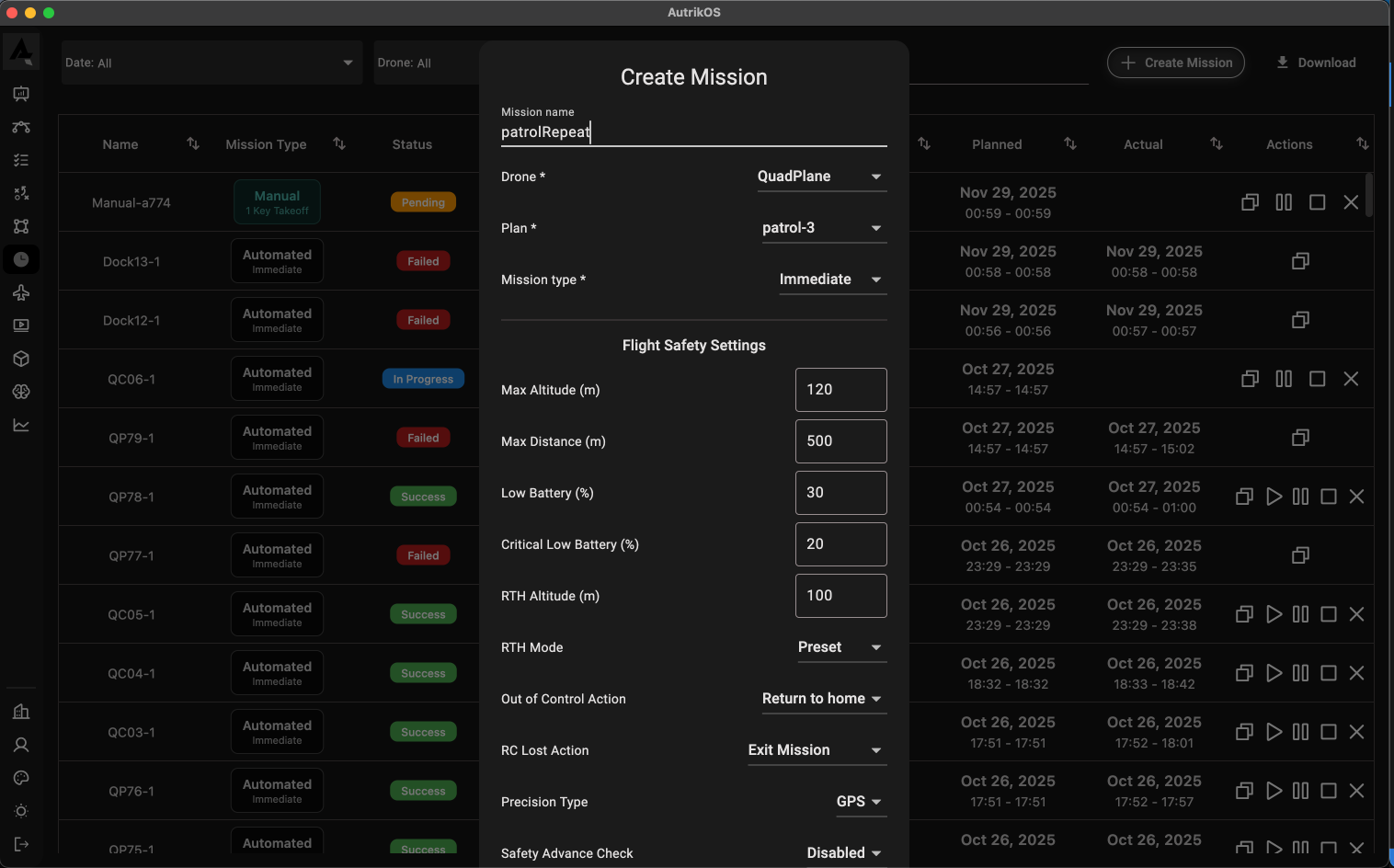
  • Flight safety settingsMaximum altitude and distance, low and critical battery levels, return-to-home altitude, and what the aircraft does when it loses the link.
  • Retry on failureChoose which failures may be retried. A mission that could not start is tried again instead of being skipped.
  • Simulate firstRun a dock mission in simulation from a position you enter, and watch it in the console before the aircraft leaves the dock.About the flight simulator→
Create Mission dialog with the flight safety settings: altitude, distance, battery and return-to-home

New mission · the dialog, with the camera footprint drawn (September build)

Workflows

Start a flight from an event

A workflow joins a trigger, optional conditions and a list of actions. You build it on a canvas in the console.

Triggers

A time rule, a webhook from another system, a telemetry value, a device state change, a finished mission or a geozone breach.

Alarm response


Conditions

Checks before the run, such as weather, battery level, device readiness and a time window.

Actions

Take off, fly a mission, send a command, notify people, start a mapping job or call another workflow.

Approval

A run can wait for an operator to approve it before anything takes off.

Live progress

Each run is shown stage by stage and action by action while it executes.

Supervision

Automatic does not mean unsupervised

Whether a flight may run without a pilot on site depends on your operational authorisation, not on the software. Plan for a person who watches and can take over.
Remote operations centre→
  • Pause and stopA running mission shows its progress on the flight map. The operator can pause it or stop it.
  • ChecklistsPre-flight checklists are picked at takeoff. Some items are checked from live telemetry, and the completed list is stored with the flight.
  • Other trafficNearby aircraft that send ADS-B are drawn on the flight map, and UAS geographical zones can be switched on as a layer, with the zones at any point.
  • A record of every missionThe mission list keeps status, planned and actual times and the error of a failed flight. It can be downloaded.
Mission list with type, status, device, plan type and planned and actual times for each mission

The fly page · every aircraft on one map, a mission in progress

Which flight do you repeat most often?

Tell us the site, the aircraft and how often it should fly. We will set up the plan and the schedule with you.