Data Sync

From the vehicle to your workspace, filed by flight

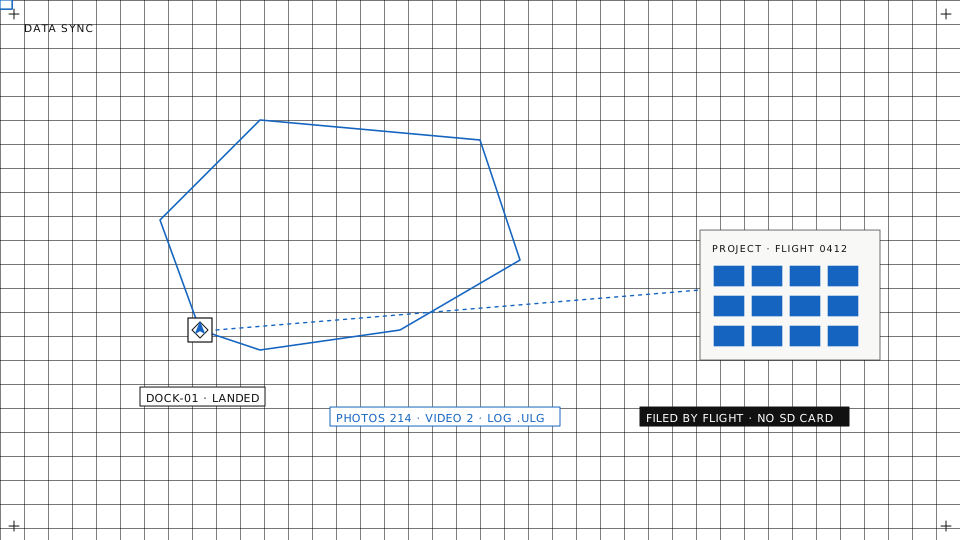
Photos, video, flight logs and sensor recordings leave the vehicle over its own link and land in your workspace storage. Nobody pulls an SD card, and each file ends up with the flight it belongs to.

Isometric scene of a landed drone on its dock, with media, maps and logs arriving in the cloud
Photos and video

Media arrives with its flight

Ready to work on when you open it

The project is where the images are viewed, downloaded and processed into maps and models. That part is on the mapping page.
  • You choose when it uploadsPer device, set media upload to manual, during the flight, or after the mission once the aircraft is on the ground. A DJI dock uploads when the aircraft is back in the dock.
  • Nothing is sent twiceEach file is checked against what is already stored, and files already in the flight are skipped. Several files go up at once, and a batch that loses the network pauses and carries on when it is back.
  • One project per flightUploads are grouped by flight into a project, with thumbnails and the position and capture time read from each image.
  • Files from elsewhereImages and video taken outside the platform can be uploaded into a project from the dashboard.
Project page with its linked flight, data products and uploaded images

Projects · filed by flight, thumbnails as they arrive

Flight logs

Every log in one list

The record of each flight

A log that stays on the vehicle helps nobody. Once it is in the workspace, anyone on the team can open it. Questions across many flights are the subject of log insights.
  • Pulled from the vehicleStart a log sync from the dashboard and the vehicle uploads the logs it has not sent yet. ArduPilot and PX4 logs and DJI flight records are supported.
  • Or uploaded by handA log file from a flight outside the platform can be uploaded from the dashboard and linked to its vehicle.
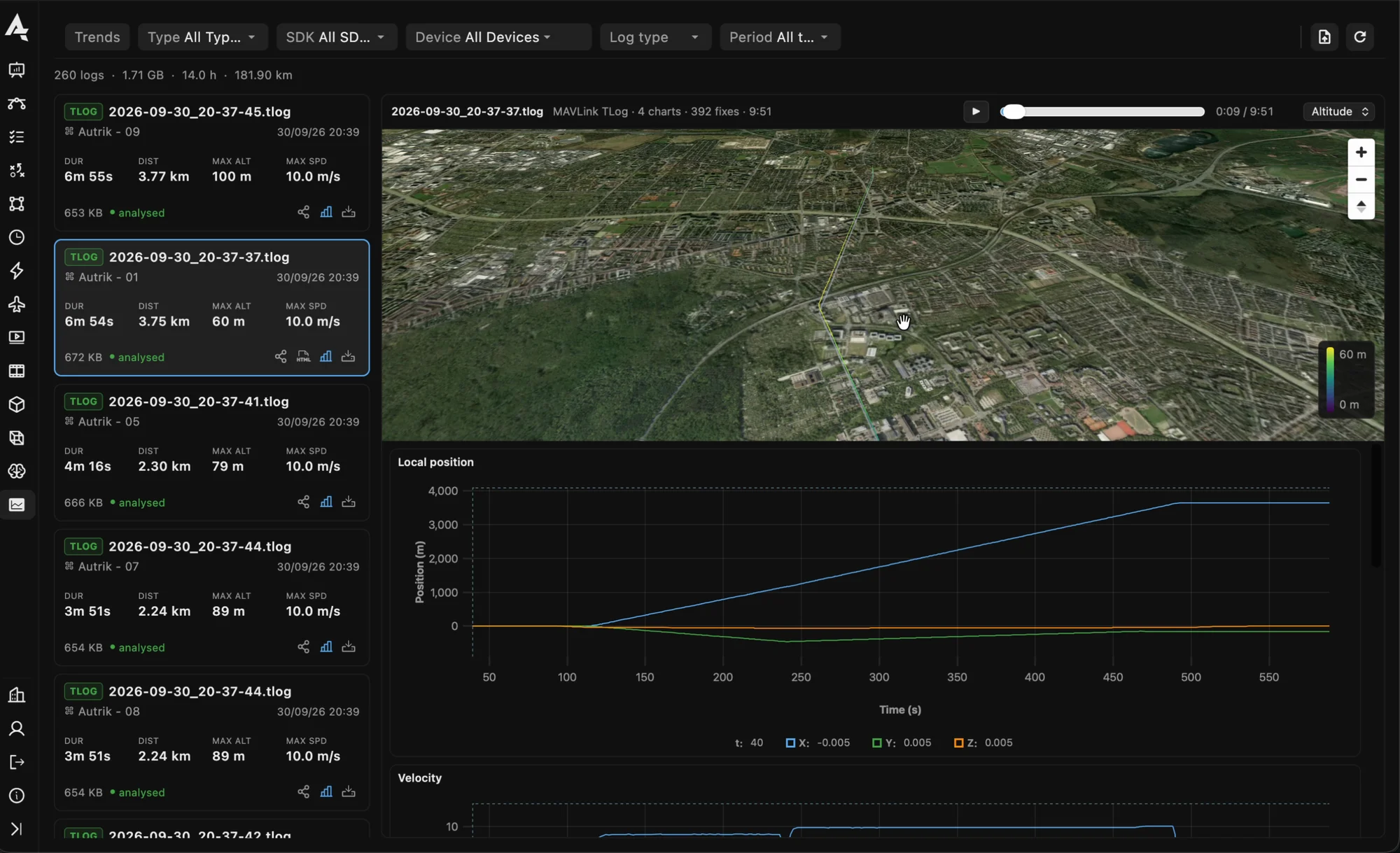
  • Plotted in the browserEach uploaded log is read for duration, distance and other key figures. Open it to see the charts and the flown track.
  • Download or shareDownload the original file, or send one flight to someone outside your organisation as a link.
Flight log list with a log opened as charts

Flight logs · a log replayed with its chart

Storage and sharing

Where the data lives and who can see it

Our storage or your bucket

A workspace stores its files in storage we run, or in an S3-compatible bucket of your own that you connect to the workspace.


Sensor recordings too

On a companion computer running skyclient, one sync action uploads what the attached sensors recorded, for example sonar or gas measurements, along with the device's own logs.

Share links with an end date

Share a project or a flight log with someone who has no account. The link expires on the date you set and can be revoked before that.

Organisation · Media storage: our bucket or your own
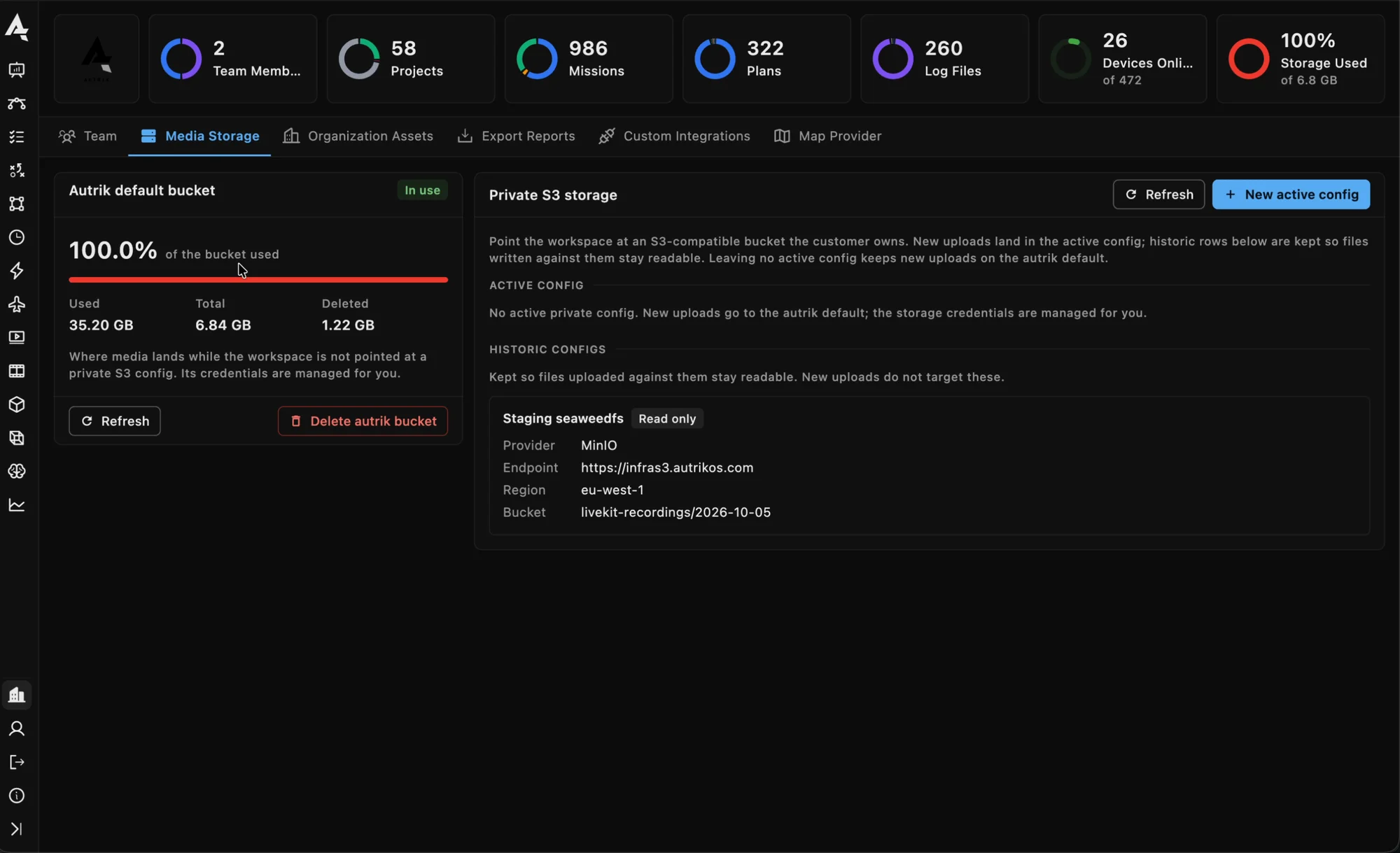
Organisation, Media storage: the workspace bucket's usage and a private S3 bucket configured as the active store
Straight answers

How sync behaves

Good to know, so you can plan around it.

Manual or automatic, your choice

Per device, sync runs when an operator starts it or automatically during or after the mission, depending on how you set it. It is not a constant live mirror of the vehicle.

Video waits for the ground

During a flight only photos are uploaded. Video files are too large for the link in the air and follow after landing.

Stop carrying SD cards

Tell us what your vehicles record and where it has to end up. We will walk through the path with you.